49/08, Nirala Residential Area, Khulna
contact@digitalexpertit.com
←Back to Articles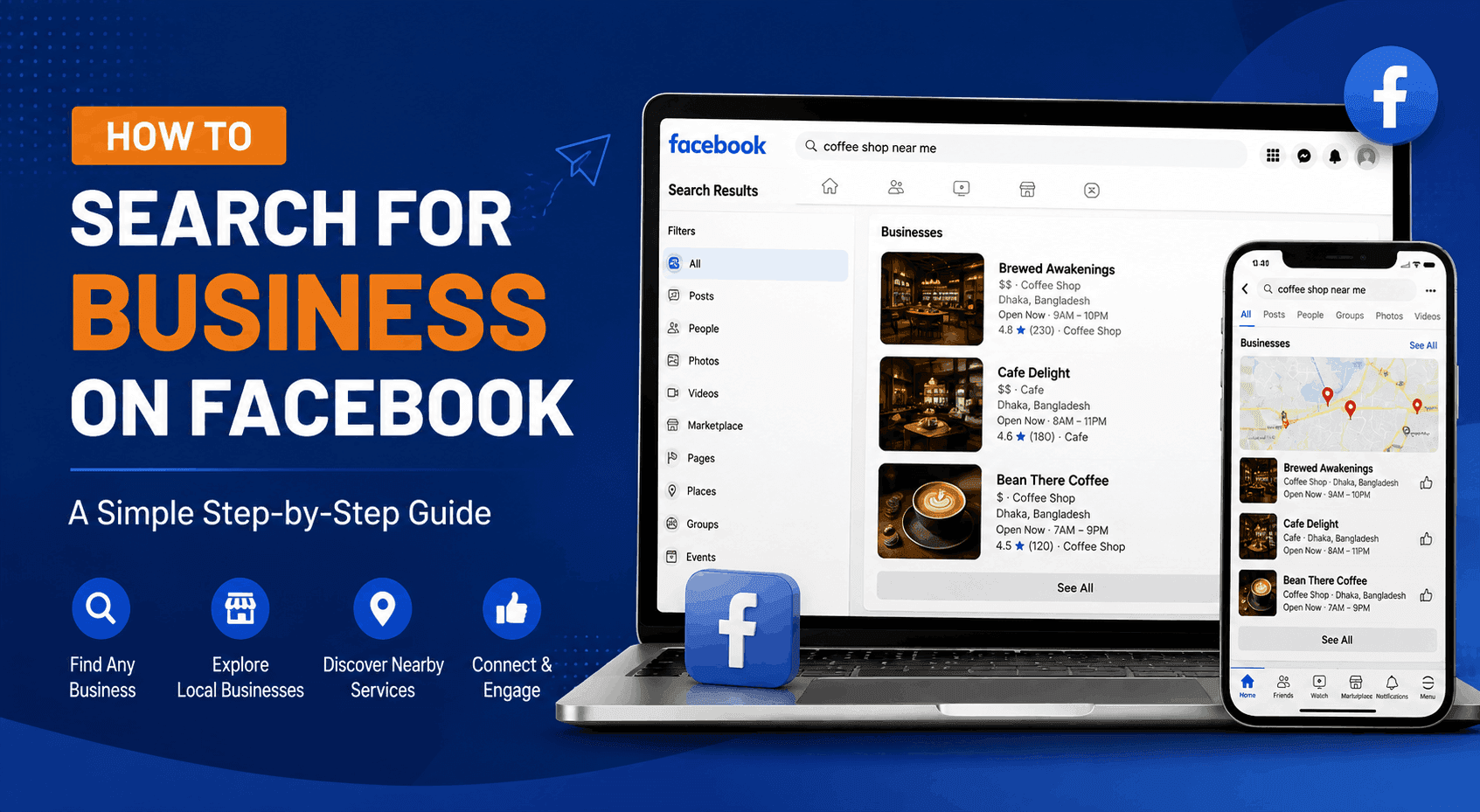 August 13, 20268 min read
How to Search for Business on Facebook: A Simple Step-by-Step Guide
D
Digital Expert IT
Author
Finding a business on Facebook is usually easier than you might think. Whether you are looking for a local restaurant, a clothing store, a service provider, a software company, or a specific brand, Facebook’s search feature can help you find relevant Pages, posts, groups, and other business information.
The challenge is that Facebook search results can sometimes be broad. If you use the right keywords, location, and filters, however, you can find the business you need much faster.
In this guide, you’ll learn how to search for business on Facebook, how to find businesses by location, what to do when you cannot find a specific business, and how businesses can improve their chances of appearing in Facebook search.
How to Search for Business on Facebook
The easiest way to search for a business is through Facebook’s main search bar.
Step 1: Open Facebook
Log in to Facebook using the website or mobile app. On desktop, the search bar is located near the top of the page. On mobile, tap the search icon.
Step 2: Enter the Business Name
Type the business name into the search bar.
For example:
- ABC Digital Marketing
- Joe’s Coffee Shop
- New York Web Design
- Local Dental Clinic
Facebook supports keyword-based searches, so you do not always need to know the exact name.
Step 3: Select the Right Result
After searching, Facebook may show different types of results, including Pages, people, groups, posts, photos, and videos.
If you are trying to find a company, look for its Facebook Page. Facebook Pages are specifically designed for businesses, brands, organizations, and public figures.
Check the Page name, profile picture, location, website, contact information, and recent posts to make sure you have found the correct business.
How to Search for Business on Facebook by Location
What if you do not know the business name?
You can search using a combination of the business type and location.
For example, instead of searching for a specific restaurant, try:
- Italian restaurants in Chicago
- Digital marketing agencies in London
- Hair salons in Toronto
- Web developers in New York
- Coffee shops in Dhaka
Adding a location makes your search more specific and can help reduce irrelevant results.
This approach is particularly useful when you are looking for local service providers or businesses you have never heard of before.
Use Facebook Search Filters
Facebook provides filters that can help narrow down search results. After entering your search term, look through the available result categories and choose the one that matches what you need.
For example, if you want to find a business Page, select Pages rather than browsing through every result.
Depending on the Facebook version and device you are using, available filters may vary. Facebook itself notes that search results can be filtered by categories such as People and Photos, while the mobile experience provides filters across different result types.
Using filters can save you considerable time when your search produces hundreds of results.
How to Find a Business When You Don't Know Its Exact Name
Sometimes you remember what a company does but cannot remember its name. That is not a problem.
Try searching for:
Service + Location
For example:
Web development company in Miami
Or:
Product + Location
For example:
Custom furniture in Austin
You can also combine several descriptive keywords:
Affordable wedding photographer Chicago
The more useful information you provide, the easier it becomes to narrow your search.
However, avoid making the search phrase unnecessarily long. Start with two or three strong keywords and add more if the results are too broad.
Search Facebook Groups for Local Businesses
Facebook Groups can also be useful when searching for businesses.
Local community groups often contain recommendations, business promotions, customer discussions, and posts from local service providers. Searching within relevant groups can sometimes uncover businesses that are difficult to find through the main search.
For example, if you need a home renovation company, you might search local community groups for phrases such as:
- Home renovation
- Contractor recommendations
- Best builders
- Kitchen remodeling
- Home services
This can help you discover businesses based on real conversations and recommendations rather than simply looking at Page names.
Use Google to Find a Facebook Business Page
If Facebook's internal search does not give you the result you want, Google can be another useful option.
Try searching:
Business Name Facebook
Or:
Business Name + Facebook Page
You can also make the search more specific by adding a location.
For example:
ABC Web Design Facebook New York
This method is especially useful when the business has a website but its Facebook Page is difficult to locate.
How to Check Whether You Found the Right Business
Finding a Page with the correct name does not necessarily mean it is the business you are looking for.
Before contacting or following the Page, check a few details:
Business name: Does it match the company you are looking for?
Location: Does the listed location match?
Website: Is the website connected to the same business?
Phone number: Does the contact information look legitimate?
Recent activity: Is the Page regularly posting?
Reviews and recommendations: Do customers appear to interact with the business?
These checks can help you avoid confusing one company with another business using a similar name.
Why Can't I Find a Business on Facebook?
There are several reasons a business may not appear in your search.
The Page may be new, unpublished, restricted by age or country, or missing important business information. Facebook recommends that Pages have a profile picture, cover photo, action button, and basic information in the About section. Facebook also notes that a newly created Page can take several days to begin appearing in search results.
Another possibility is that the business uses a different name on Facebook. For example, a company called "Smith & Associates LLC" might use "Smith Associates" as its Page name.
Try searching for the business name without abbreviations, then try its industry, location, or website name.
How Businesses Can Improve Facebook Search Visibility
If you own a business, being easy to find on Facebook matters.
Start by using your actual business name consistently. Complete your Page information and clearly explain what your company does. Add your website, location, contact details, profile image, cover image, and relevant business category.
You should also publish useful content consistently. Helpful posts, videos, customer-focused content, and genuine engagement can make your Page more useful to potential customers.
Your Facebook presence should also support your overall digital marketing strategy. If your business needs help with website development, SEO, social media marketing, advertising, or digital growth, you can explore
Digital Expert IT's services and learn more about how Digital Expert IT helps businesses build stronger online presences.
Remember that Facebook search results are personalized. Meta has explained that Facebook search results can be influenced by activity from the individual user and the wider Facebook community.
Final Thoughts
Learning how to search for business on Facebook can save you time and help you discover companies, local services, brands, and professional providers more efficiently.
Start with the business name if you know it. If you don't, combine relevant keywords with a location. Then use Facebook's available filters to narrow the results. If Facebook search does not work, try Google, Facebook Groups, or other online sources.
For businesses, the lesson is equally important: make your Facebook Page complete, accurate, active, and easy to understand. A strong social presence can make it easier for potential customers to discover and trust your business.
FAQs About Searching for a Business on Facebook
1. How do I search for a business on Facebook?
Open Facebook and use the search bar to enter the business name or relevant keywords. Then select the appropriate result category, such as Pages, to find business profiles.
2. How do I find a local business on Facebook?
Search using the business type and location, such as “restaurants in Dhaka” or “web developers in London.” You can then use Facebook's available filters to narrow the results.
3. Can I search for a business on Facebook without knowing its name?
Yes. Try searching for the company's service, product, industry, or location. For example, search for “digital marketing agency in New York” if you do not know the company's name.
4. Why can't I find a business on Facebook?
The Page may be new, unpublished, restricted, incomplete, or listed under a different name. Facebook says new Pages may take several days to appear in search results.
5. How do I find a business Facebook Page?
Search for the business name and select the Pages result. Check the Page's name, location, website, contact information, and recent activity to verify that it is the correct business.
6. Can I use Google to find a business on Facebook?
Yes. Search Google for the business name followed by “Facebook” or “Facebook Page.” This can be helpful when Facebook's internal search does not immediately show the correct Page.
7. How can a business appear higher in Facebook search?
Businesses should complete their Page information, use accurate business details, maintain an active Page, publish useful content, and build genuine engagement with their audience. Facebook also considers user and community activity when ranking search results.
8. Is Facebook useful for finding local businesses?
Yes. Facebook can be useful for discovering local businesses, checking their updates, viewing customer interactions, and contacting businesses directly through their Pages.